
.webp?width=1280&height=541&name=Blog%20Template%20-%20V1%20-%20Repetitive%20Pattern%20(3).webp)
 Learning & Development

A skills taxonomy is a structured classification of the skills your organization recognizes, grouped into categories and subcategories that create a shared language across HR, business leaders, and employees. It gives the organization a consistent answer to one question: what skills do we recognize, and what do we call them?
Most taxonomies organize skills into broad domains (such as technology, leadership, or operations), then break each domain into clusters, individual skills, and sometimes proficiency levels. The goal is to give everyone in the organization a consistent way to describe capability so that workforce planning, hiring, learning, internal mobility, and succession planning can run on shared definitions rather than inconsistent job-title language.
Skills taxonomy example
| Domain | Skill cluster | Skill | Proficiency example | Connected use case |
|---|---|---|---|---|
| Data and analytics | Business intelligence | Dashboard design | Can build dashboards that explain business performance to non-technical stakeholders | Workforce planning, manager reporting |
| Leadership | Talent development | Coaching | Can support employee growth conversations with clear, individualized development plans | Internal mobility, succession |
| Technology | Cloud infrastructure | Cloud architecture | Can design scalable, cost-effective cloud environments aligned to business requirements | Digital transformation, hiring |
| AI readiness | Responsible AI use | AI-assisted decision support | Can use AI outputs with human review, bias awareness, and explainability | HR governance, skills intelligence |
| Customer experience | Service design | Journey mapping | Can map end-to-end customer experiences and identify pain points that drive churn | Retention strategy, L&D |
Each row shows how a single skill connects to a domain, a measurable proficiency, and a real business outcome. A taxonomy that only lists skill names without this context tends to stall at the spreadsheet stage.
Skills taxonomy vs skills ontology vs skills inventory vs skills architecture
These terms are often used interchangeably, and that confusion is one reason skills initiatives lose momentum. Each concept answers a different question.
| Concept | What it answers | Example |
|---|---|---|
| Skills taxonomy | What skills exist and how are they grouped? | Data analysis sits inside the analytics cluster, which sits inside the technology domain |
| Skills ontology | How do skills relate to roles, adjacent skills, tasks, and career paths? | SQL connects to data analysis, BI reporting, and analytics roles, with adjacencies to Python and data visualization |
| Skills inventory | Who has which skills, at what level, and with what evidence? | Maria has intermediate SQL validated by project history and manager assessment |
| Skills architecture | How do skills map to roles, job families, levels, and business priorities? | The data analyst role requires SQL, storytelling, and dashboarding at specified proficiency levels |
| Job-title taxonomy | How are job titles normalized across the organization? | "People Partner" and "HRBP" map to a common role family |
A taxonomy gives you the shared language, an ontology adds relationships between skills, roles, and career paths, an inventory shows who has what and at what level, and an architecture connects all of it to your organizational structure. Skills intelligence turns the full stack into decisions about hiring, development, mobility, and succession.
Some organizations searching for skills taxonomy content are actually looking for job-title normalization, which is a different problem. Providers like Lightcast specialize in occupation and title taxonomies with monthly data updates, while a skills taxonomy focuses on capabilities rather than titles.
Why skills taxonomies matter for enterprise HR
A skills taxonomy becomes valuable when it connects to the decisions HR and business leaders actually need to make.
Workforce planning. When skills have consistent definitions and proficiency levels, you can model supply against demand at the skill level rather than the headcount level. That makes workforce planning more precise and gives leaders a view of where capability gaps will emerge before they become hiring emergencies.
Internal mobility and redeployment. Employees cannot find internal roles, gigs, or projects that match their capabilities if the organization uses different skill labels across teams. A shared taxonomy makes it possible for a talent marketplace to match people to opportunities based on what they can do rather than what their job title says.
Learning and development. L&D investments land better when they target specific skill gaps rather than broad competency themes. A taxonomy that includes proficiency levels lets you design learning programs that close measured gaps tied to real role requirements, which is the difference between generic training catalogs and development that drives readiness.
Hiring. When hiring managers and recruiters share a common skills language, job descriptions become more accurate, screening becomes more consistent, and the organization can track which skills it acquires externally versus develops internally.
Succession. Succession planning depends on knowing which skills a future leader needs and which candidates have them at what level. A taxonomy that includes proficiency makes succession conversations grounded in evidence rather than intuition.
How to build a skills taxonomy
Building a skills taxonomy that survives past the first quarter means treating it as infrastructure with governance, integration, and stakeholder buy-in from the start.
1. Define the decisions the taxonomy must support. Start with the outcomes you need, such as workforce planning, mobility, succession, or L&D targeting. The scope of your taxonomy should match the scope of the decisions it will inform. A taxonomy built for compliance reporting looks different from one built to power internal mobility and reskilling.
2. Audit existing skills data. Collect skills data from job descriptions, performance reviews, learning records, manager feedback, and any existing frameworks. Look for duplicates, inconsistencies, and gaps. Most organizations discover they already have multiple unofficial taxonomies running in parallel across teams.
3. Normalize skills and remove duplicates. Merge entries that describe the same capability with different names. "Project management," "program management," and "PM" might all need consolidation depending on whether the proficiency expectations are genuinely different or just labeled differently.
4. Group skills into domains, clusters, and specific skills. Create a hierarchy that reflects how your organization thinks about capability. Domains are broad categories like technology, leadership, or operations, with clusters sitting inside each domain (such as cloud infrastructure or people management) and specific skills sitting inside each cluster (such as cloud architecture or coaching).
5. Add proficiency levels and evidence. A skill listed without proficiency tells you that a capability exists somewhere in the organization without telling you whether anyone can apply it at the level a role requires. Define what basic, skilled, advanced, and expert look like for each skill, ideally with observable behaviors or deliverables rather than self-assessment only.
6. Map skills to roles, job families, and business priorities. Connect each skill to the roles that require it and the proficiency level expected. This mapping is what turns a list into a framework that supports workforce agility, role design, and gap analysis.
7. Validate with business leaders and employees. Share the draft with stakeholders who hire, develop, and deploy people. Their feedback will surface missing skills, incorrect groupings, and proficiency definitions that do not match operational reality.
8. Connect the taxonomy to HR systems and workflows. A taxonomy only works if it lives inside the systems where decisions happen, including your HRIS, LMS, ATS, and talent marketplace. Disconnected taxonomies decay quickly because nobody references them in their daily work.
9. Set governance and refresh cycles. Assign an owner and define how often new skills are added, duplicates are removed, and definitions are updated. Without governance, a taxonomy degrades within six to twelve months as the business evolves and new skills emerge.
Why skills taxonomies fail
Most taxonomy projects stall because the taxonomy was never connected to the decisions, systems, and people who need it, even when the definitions themselves were sound.
| Failure | What happens |
|---|---|
| Built as a spreadsheet | Becomes outdated before rollout finishes |
| No proficiency levels | Leaders know a skill exists without knowing whether someone can use it well enough for a specific role |
| No governance owner | Duplicates, outdated labels, and inconsistent definitions accumulate unchecked |
| No link to roles | Skills data cannot support workforce planning, internal mobility, or succession |
| No market signal | The taxonomy reflects yesterday's work rather than emerging demand |
| No employee validation | Employees do not trust or maintain their own profiles, so skills data stays shallow |
| No integration layer | Workday, LMS, ATS, and talent marketplace data stay fragmented |
Each of these failure modes points to the same root problem. A taxonomy is a foundation, and without the layers above it (ontology, inventory, architecture, governance, and integration) it cannot support the talent decisions it was built for.
What to look for in skills taxonomy software
When evaluating skills taxonomy tools and platforms, focus on whether the software can support a living, governed skills framework rather than a static export.
Expert-curated foundation with AI augmentation. The strongest platforms combine human expertise (such as I/O psychologists or domain specialists) with AI that detects duplicates, suggests definitions, surfaces emerging skills from labor-market data, and keeps the framework current. Pure AI-generated taxonomies tend to lack the contextual judgment that enterprise skills decisions require, while pure human-maintained taxonomies cannot keep pace with market changes.
Proficiency levels built into the structure. A platform that only tags skills as present or absent cannot support gap analysis, readiness assessment, or targeted learning. Look for multi-dimensional proficiency, ideally with observable behaviors rather than generic level labels.
Integration with your HR ecosystem. The taxonomy must connect to your HRIS, LMS, ATS, and talent marketplace for it to influence real decisions. Evaluate whether the platform supports your existing systems, including Workday, SAP SuccessFactors, Oracle HCM, and any integrations your environment requires.
Governance workflows. Look for approval flows, change tracking, duplicate detection, and defined ownership models. Governance is what separates a taxonomy that stays accurate from one that degrades.
Market and labor-market signals. Platforms that incorporate external skills data (from labor-market providers, industry benchmarks, or aggregated platform usage) can surface emerging skills and flag declining ones before your taxonomy falls behind.
Why a taxonomy alone is not enough
A taxonomy tells you what skills your organization has names for. It does not tell you who has those skills, at what level, how they connect to career paths, or what actions to take next.
Fuel50 describes this as the difference between a taxonomy and a full skills intelligence system. The taxonomy provides the shared language, the ontology maps relationships between skills, roles, and careers, the inventory captures who has what, the architecture connects skills to business structure, and intelligence turns all of that into decisions about mobility, development, succession, and workforce planning.
How Fuel50 turns a skills taxonomy into skills intelligence
Fuel50's Skills Intelligence is a three-pillar system designed to move organizations from static skills lists to governed, actionable skills data.
Skills Ontology. Fuel50's ontology includes over 5,000 skills and capabilities, curated by I/O psychologists and updated through market signals. It contextualizes skills across roles and departments, avoids duplication, embeds DEI checks for inclusive language, and provides proficiency levels across three dimensions. The ontology acts as a single "skills brain" across the HR ecosystem, giving every system and stakeholder a consistent, validated skills language.
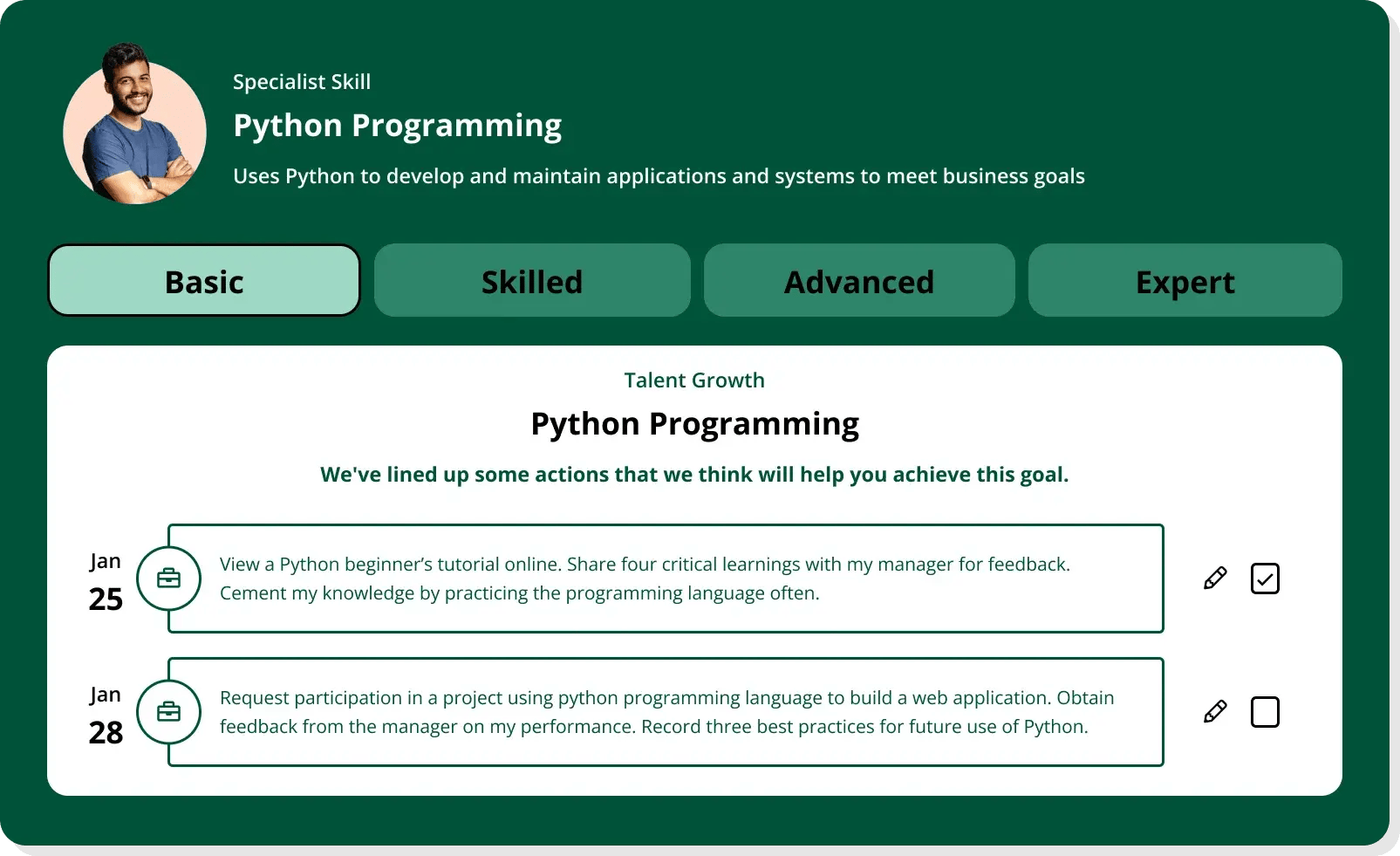
Skills Architecture. The architecture layer ties the ontology to roles, proficiency levels, and business objectives through Talent Blueprints and real-time role reviews. Powered by AI and human oversight, it stays aligned with organizational change and supports the shift from static job descriptions to a skills-first framework.
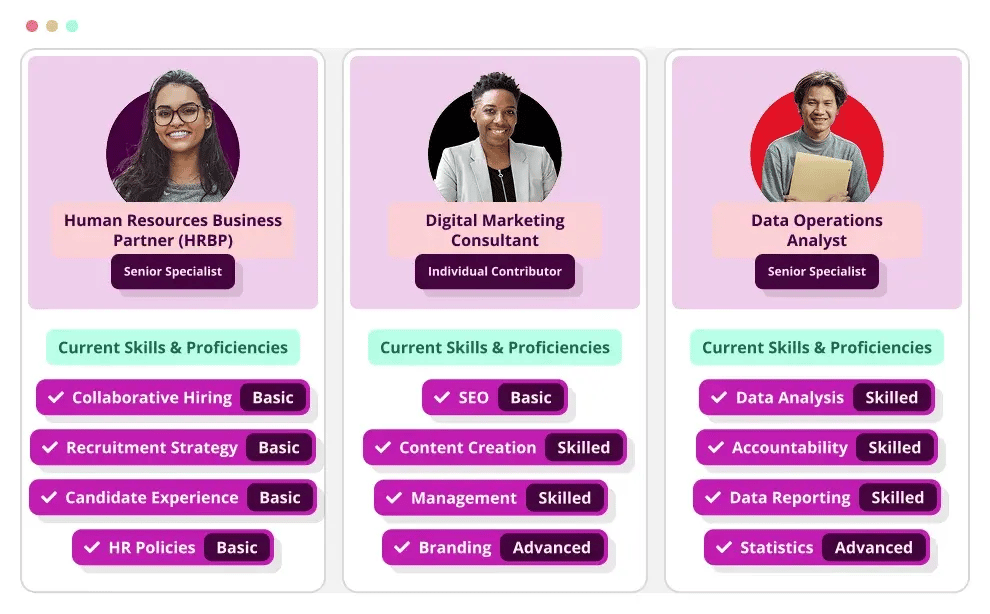
Skills Inventory. The inventory serves as a governed command center for managing, updating, and auditing skills data. It applies generative AI for defining proficiency and development actions, eliminates duplicates and errors through approval workflows, and tracks changes over time. The inventory is what makes the underlying architecture trustworthy enough to guide workforce planning, succession, and capability growth.
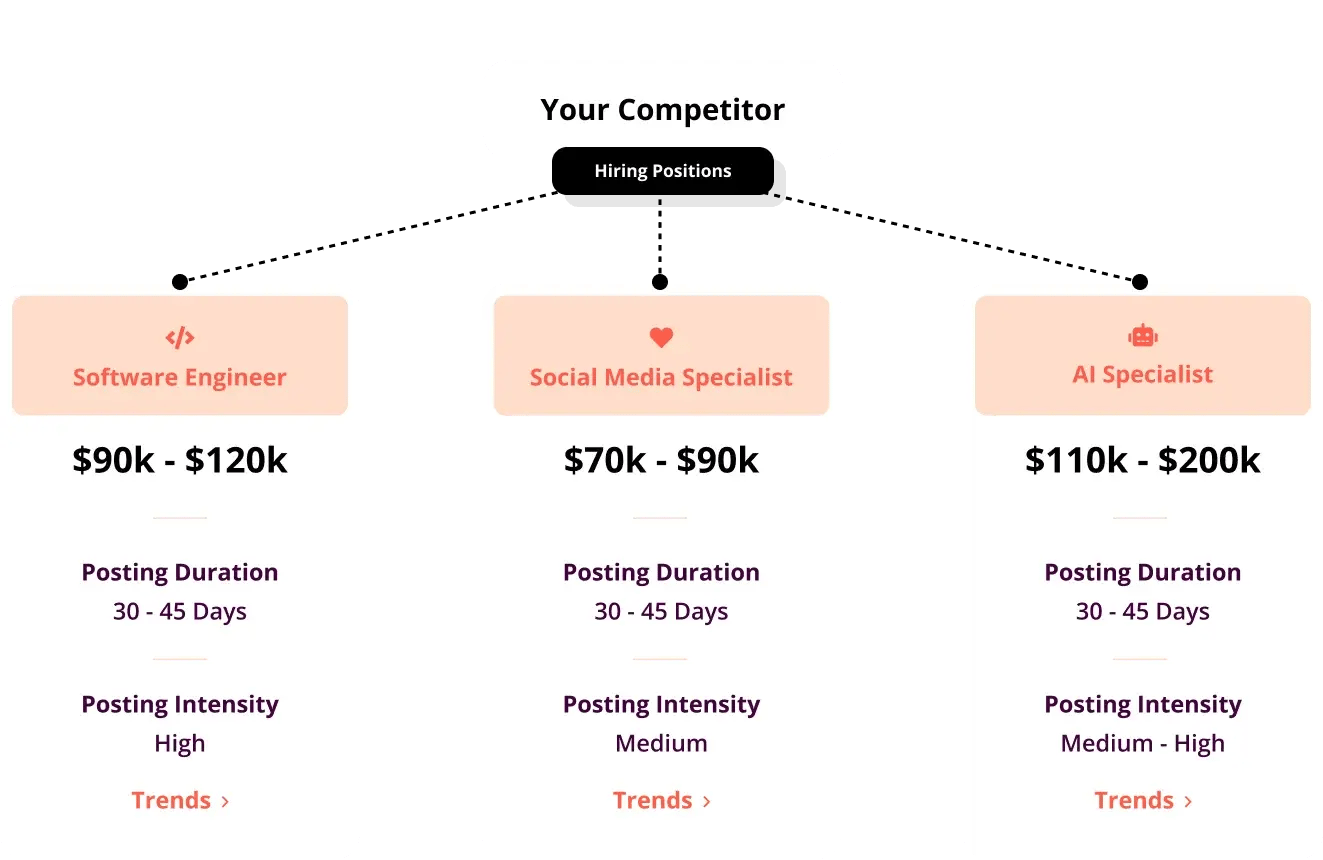
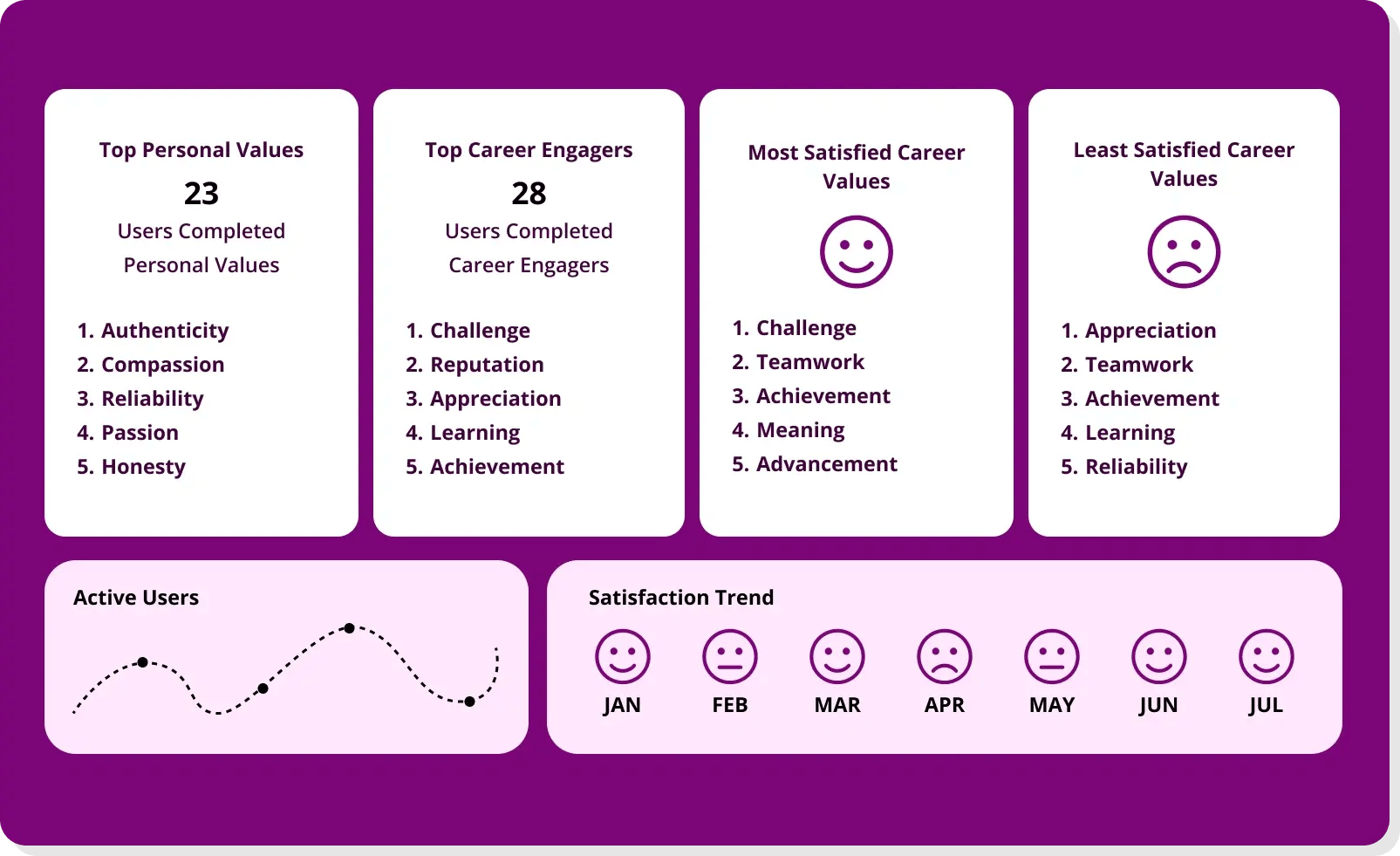
Together, these three layers connect to Fuel50's Talent Marketplace, where skills data becomes actionable. Employees see personalized matches to internal roles, gigs, mentors, and learning pathways based on their skills, aspirations, and career interests. Leaders see where skill gaps exist, which capabilities are emerging, and where succession risk sits. CarTrawler, for example, switched from a traditional taxonomy to Fuel50's Skills Ontology and has since assessed over 2,800 skills across the organization, giving managers a direct lens into the skills, capabilities, goals, and values of their teams while employees gained clear visibility into growth opportunities and internal career paths.
Frequently asked questions
What is a skills taxonomy? A skills taxonomy is a structured classification of the skills an organization recognizes, grouped into categories and subcategories to create a shared language across HR, leaders, and employees. It provides the foundation for workforce planning, hiring, learning, internal mobility, and succession.
What is the difference between a skills taxonomy and a skills ontology? A skills taxonomy lists and categorizes skills. A skills ontology adds relationships between skills, roles, career paths, and adjacent capabilities, turning a static list into a dynamic network. Most ontologies contain a taxonomy as one layer, then build intelligence on top of it.
What is the difference between a skills taxonomy and a skills inventory? A taxonomy defines what skills exist and how they are grouped. A skills inventory tracks who has those skills, at what proficiency level, and with what evidence. The taxonomy is the framework, and the inventory is the population of that framework with people data.
How do you build a skills taxonomy? Start by defining which decisions the taxonomy must support (workforce planning, mobility, succession, L&D). Audit existing skills data, normalize duplicates, group skills into domains and clusters, add proficiency levels, map skills to roles, validate with stakeholders, connect to HR systems, and establish governance and refresh cycles.
What are examples of skills taxonomy categories? Common top-level categories include technology, leadership, operations, customer experience, data and analytics, finance, and AI readiness. Each category breaks into clusters (such as cloud infrastructure within technology) and specific skills (such as cloud architecture within cloud infrastructure).
What is skills taxonomy software? Skills taxonomy software helps organizations build, maintain, and govern their skills framework. The most useful platforms combine expert curation with AI-powered updates, integrate with existing HR systems, include proficiency levels, and support governance workflows for ongoing accuracy.
How often should a skills taxonomy be updated? A skills taxonomy should be reviewed at least quarterly, with ongoing updates triggered by organizational changes, new business priorities, or emerging market skills. Platforms that incorporate labor-market signals can automate much of this monitoring.
How does a skills taxonomy support internal mobility? A shared skills language lets employees and leaders see how capabilities transfer across roles. When skills are consistently defined with proficiency levels, a talent marketplace can match people to internal roles, gigs, and projects based on actual capability rather than job-title assumptions.
How does a skills taxonomy support workforce planning? A taxonomy with proficiency levels lets you model skill supply against demand at the capability level rather than the headcount level. That makes it possible to forecast where skill gaps will emerge, where reskilling can close them, and where external hiring is genuinely needed.
What is the difference between a skills taxonomy and a job-title taxonomy? A skills taxonomy classifies capabilities, while a job-title taxonomy normalizes job titles across the organization or against external benchmarks. They solve different problems, though both feed into a complete skills architecture. Providers like Lightcast specialize in occupation and title taxonomies, while skills taxonomies focus on what people can do rather than what they are called.
Your skills taxonomy should do more than sit in a spreadsheet. See how Fuel50 turns static skills data into governed, actionable skills intelligence that powers workforce planning, internal mobility, and career growth. Talk to sales →
.webp?width=359&height=260&name=Blog%20Template%20-%20V1%20-%20Repetitive%20Pattern%20(26).webp)
.webp?width=359&height=260&name=Blog%20Template%20-%20V1%20-%20Repetitive%20Pattern%20(24).webp)
.webp?width=359&height=260&name=Blog%20Template%20-%20V1%20-%20Repetitive%20Pattern%20(38).webp)
.webp?width=359&height=260&name=Blog%20Template%20-%20V1%20-%20Repetitive%20Pattern%20(3).webp)
.webp?width=359&height=260&name=Blog%20Template%20-%20V1%20-%20Repetitive%20Pattern%20(21).webp)